MultiProcessing in Python to Speed up your Data Science
- Python
- April 4, 2022
Table of Contents
When dealing with large datasets in Python, a common issue arises - processing takes too long. This can significantly slow down your data analysis workflow and hinder productivity. To optimize your code running time and speed up the process you’ll eventually consider Parallelization as one of the methods. In this article, we’ll explore how to use parallelization in Python to accelerate your data science.
Python offers two built-in libraries for parallelization: Multiprocessing and MultiThreading.
Difference between Process and Thread
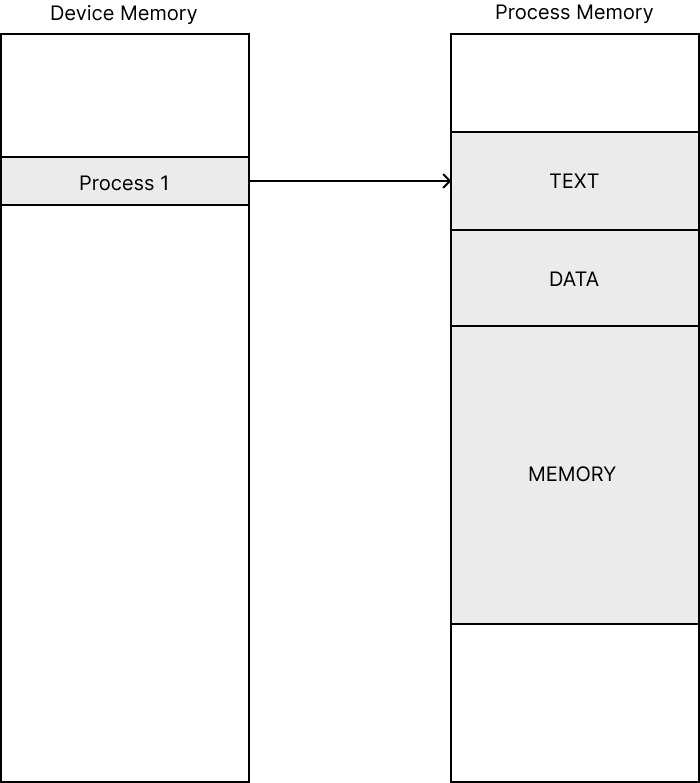
A process is an instance of a computer program being executed. Each process in system memory is composed of TEXT, DATA and Memory segment. TEXT segment contains the compiled code instructions to be executed, DATA region contains variable values such as global and static variables, Memory region is allocated for the runtime variables.
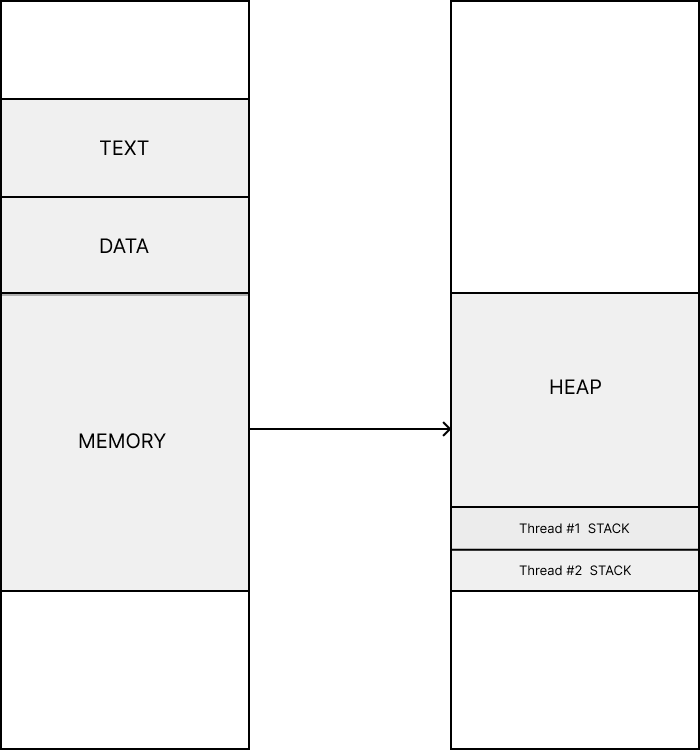
Memory region can be further divided into stack and heap memory regions. Each process has at least one thread known as the Main thread (Thread #1). There can be multiple threads in a process (Thread #2, Thread #3,…), and they share the same memory space, i.e. the memory space of the parent process. This would mean the code to be executed as well as all the variables declared in the program would be shared by all threads. While stack memory is allocated for each thread, the heap memory is shared among all threads.
Threads are components of a process, which can run in parallel. A Thread is considered as a basic unit of CPU resource utilization.
Operating System allocates hardware resources such as I/O devices and register values for each process. Thus a thread can access these resources through a parent process. When there are multiple threads in a process, each thread could handle a different task such as user input, file reading, etc. A thread cannot exist alone without a process. To learn more about process and thread check out this youtube channel.
Multithreading VS Multiprocessing in Python
While using Multithreading in Python, Global Interpreter Lock (GIL) is used by python interpreter to serialize the thread execution for safe internal memory management. GIL is a mutex (or a lock) that allows only one thread to hold the control of the Python interpreter. Only a single thread can acquire that lock at a time, which means the interpreter ultimately runs the instructions serially. This design makes memory management thread-safe, but as a consequence, it can’t utilize multiple CPU cores at all.
Based on the nature of the task we have to switch between Multithreading and MultiProcessing.
-
Multithreading performs well in tasks such as Network IO, or user interaction which does not require much of CPU computation.
-
MultiProcessing performs well in tasks involving heavy CPU Computations.
So for Data science tasks that require heavy CPU computation, we’ll go with Multiprocessing.

Python Implementation
Here I will explain a task of calculating the average of employee efficiency from an Anonymous Dataset which has two files,
Employee.csv — Has Employee Code and Name
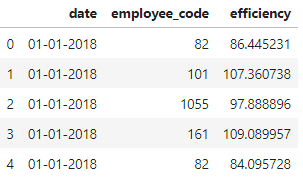
Data.csv — Has Date, Employee Code, Efficiency (Production Achieved by them)
Download Necessary Files and Jupyter NoteBook from the repo
First off, we begin with Importing Necessary Packages and see the number of cores in our Computer CPU
Import
import multiprocessing as mp
import numpy as np
import tqdm
from itertools import repeat
from multiprocessing import Process, Manager
from multiprocessing import Pool
import pandas as pd

num_processes = mp.cpu_count()

print("Number of cpu : ", num_processes)
Inspect
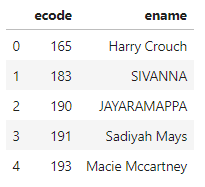
Next, we read the files and see examine whats Inside,
employee_df = pd.read_csv('employee.csv',low_memory=False)
data_df = pd.read_csv('data.csv',low_memory=False)

data_df['date']= pd.to_datetime(data_df['date'])

print(employee_df.head())
print(data_df.head())
As already said the Columns are present and were read into a Pandas Dataframe.
Get Data
name_dict = {}
for index,row in employee_df.iterrows():
    name_dict[row['ecode']] = row['ename']

empcodes= []
empcodes.extend(list(data_df['employee_code'].unique()))

print(name_dict)
print(empcodes[:10])
Next, we read our employee data frame and get the names of employees and store it in a Python Dictionary and read employee code and store unique codes in a list
Multiprocess
import workers
num_partitions = num_processes
manager = Manager()
d = manager.dict()
df_split = np.array_split(data_df, num_partitions)
pool = Pool(num_processes)
shared_arg = repeat(d,num_partitions)
for _ in tqdm.tqdm(pool.map(workers.process_rows, zip(shared_arg,df_split)), total=num_partitions):
    pass
pool.close()
pool.join()
This is where we really implement the Multiprocessing. I’ll explain the code line by line to get a better understanding.
-
Initially, we Import the Python file which is going to do the job for us as a Module with the python filename
-
To Utilize Maximum Power from our Machine we assign the Number of processes to be created as the Number of Cores Available in CPU
Manager Object provide a way to create data which can be shared between different processes. A manager object controls a server process which manages shared objects. Other processes can access the shared objects by using proxies.
-
Creation of Manager Object to access the data processed during Multiple processes created.
-
Creating Manager Dict Object which is a shared object and can be used by multiple processes. Here the efficiency calculated for each employee is stored in the Shared Object.
-
The data frame object containing data is split into 12 (in my case) as the Number of partitions to equally split the data for each process.
-
Pool Object is available in Python which has a map function that is used to distribute input data across multiple processes.
-
itertools package in Python has a repeat method that returns a generator object using yield. Here the shared Dict Object is shared for each process created.
Repeat - Make an iterator that returns object over and over again. Runs indefinitely unless the times argument is specified.
-
Map method of the pool Object is invoked with arguments which is the function that initiates process creation
- The Method that is going to run in each process. Here it is the process_rows method.
- Zip Object to hold both shared dict object and the data to be processed.
- The number of Processes to map
-
Tqdm used to mark the end of the process execution
-
The pool objects are cleared from memory.
MultiProcess File
def process_rows(data):
    d = data[0]
    df = data[1]
    for index,row in df.iterrows():
        ecode = int(row['employee_code'])
        month = int(row['date'].month)
        efficiency = int(row['efficiency'])
        if (ecode,month) in list(d.keys()):
            d[ecode,month] = (efficiency + d[ecode,month]) / 2
        else:
            d[ecode,month] = efficiency
Here is a Separate Python file saved as workers.py which will be called during Multiprocessing. This file takes data and efficiency average for each month for each employee. Here you can replace the code with your implementation for your use case.
Plot Results
Finally, we can plot the results. I have used (Plotly) for Better Visualisation.
import datetime
months = []
for i in range(1,13):
    month = datetime.date(1900,i, 1).strftime('%B')
    months.append(month)
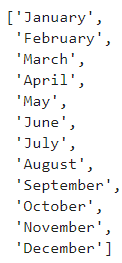
while plotting data for a year, we need to get the names of months. The Code below will do the trick for us.
Plotly
import chart_studio.plotly as py
import plotly.graph_objs as go
from plotly.offline import download_plotlyjs, init_notebook_mode, plot, iplot
data = []
for ecode in empcodes:
    y_list = []
    for i in range(1,13):
        y_list.append(d[int(ecode),i])
    data.append(go.Scatter(
    x=months,
    y=list(y_list),
    name = name_dict[str(ecode)]
    ))
layout = go.Layout(
    title='Employee Analysis',
    xaxis=dict(title='Months in 2018',),
    yaxis=dict(title='Average Production Efficieny per month',)
)

fig = go.Figure(data=data, layout=layout)
plot(fig, filename='Employee-Efficiency.html')
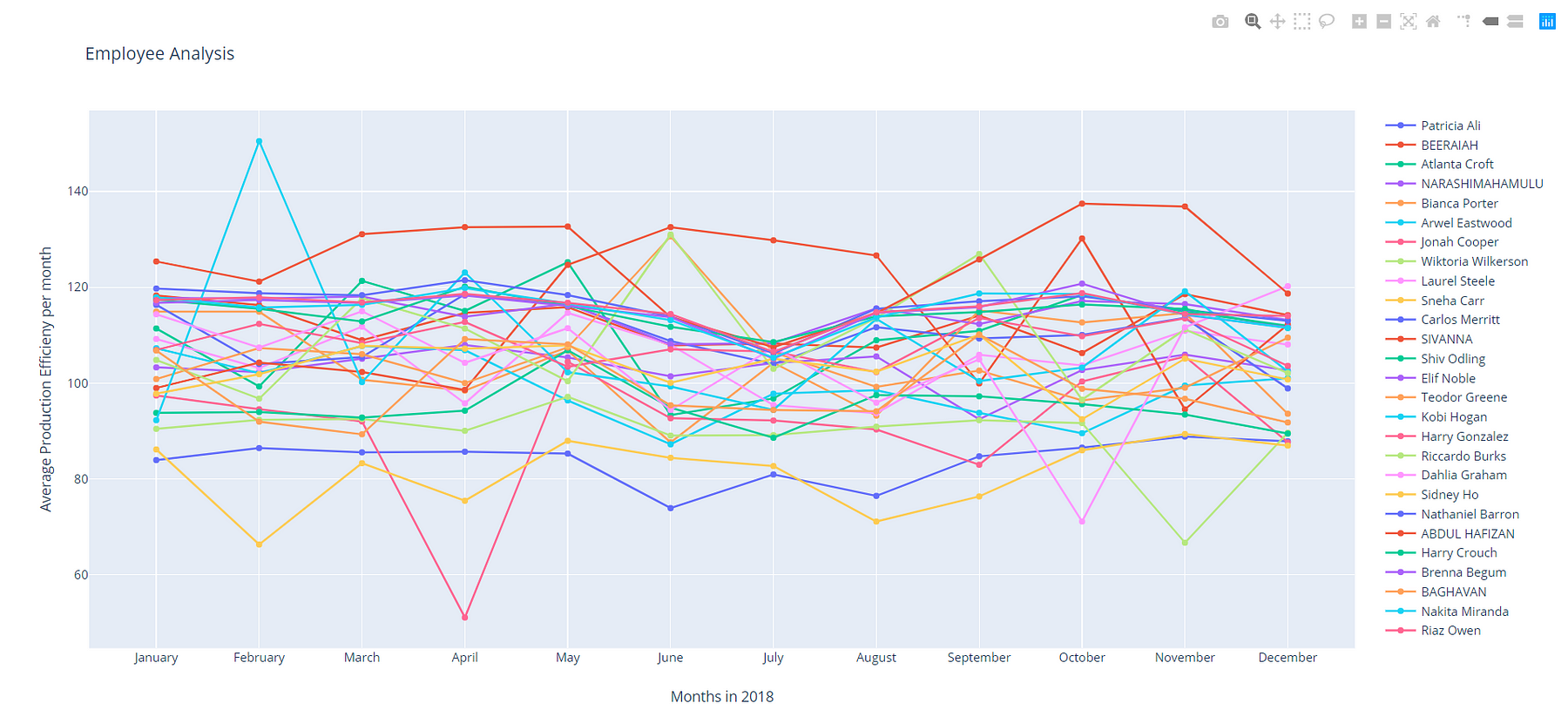
Next, we plot a line chart to visualize the results.
Here we can see an appealing interactive DashBoard which shows Efficiency for all employees during the year 2018 averaged for each month.